



[Edit 1] This article has been edited after initial release for clarity. Both the tl;dr and the end section have added information.
[Edit 2] This hypothesis was actually wrong and thank you to everyone who commented!
Here’s a full explanation of where I went wrong. I want to address this mistake as I realize it might have a meaningful impact on someone's financial position.
I’m not editing the actual article except where absolutely necessary so it doesn’t look like I’m covering up the mistake—I want to address it. Instead, I’ve included the important information below.
There is one takeaway this article provides that definitely holds true:
Local models are far more capable than they’re given credit for, even for coding.
It also explains the process of setting up a local coding model and technical information about doing so which is helpful for anyone wanting to set up a local coding model. I would still recommend doing so.
But do I want someone reading this to immediately drop their coding subscription and buy a maxed out MacBook Pro? No, and for that reason I need to correct my hypothesis from ‘Yes, with caveats’ to ‘No’.
This article was not an empirical assessment, but should have been to make these claims. Here’s where I went wrong:
While local models can likely complete ~90% of the software development tasks that something like Claude Code can, the last 10% is the most important. When it comes to your job, that last 10% is worth paying more for to get that last bit of performance.
I realized I looked at this more from the angle of a hobbiest paying for these coding tools. Someone doing little side projects—not someone in a production setting. I did this because I see a lot of people signing up for $100/mo or $200/mo coding subscriptions for personal projects when they likely don’t need to. I would not recommend running local models as a company instead of giving employees access to a tool like Claude Code.
While larger local models are very capable, as soon as you run other development tools (Docker, etc.) that also eat into your RAM, your model needs to be much smaller and becomes a lot less capable. I didn’t factor this in in my experiment.
So, really, the takeaway should be that these are incredible supplemental models to frontier models when coding and could potentially save you on your subscription by dropping it down a tier, but practically they’re not worth the effort in situations that might affect your livelihood.
Exactly a month ago, I made a hypothesis: Instead of paying $100/mo+ for an AI coding subscription, my money would be better spent upgrading my hardware so I can run local coding models at a fraction of the price (and have better hardware too!).
So, to create by far the most expensive article I’ve ever written, I put my money where my mouth is and bought a MacBook Pro with 128 GB of RAM to get to work. My idea was simple: Over the life of the MacBook I’d recoup the costs of it by not paying for an AI coding subscription.

After weeks of experimenting and setting up local AI models and coding tools, I’ve come to the conclusion that my hypothesis was correct, with nuance, not correct [see edit 2 above] which I’ll get into later in this article.
In this article, we cover:
Why local models matter and the benefits they provide.
How to view memory usage and make estimates for which models can run on your machine and the RAM demands for coding applications.
Walk through setting up your own local coding model and tool step-by-step.
Don’t worry if you don’t have a high-RAM machine! You can still follow this guide. I’ve included some models to try out with a lower memory allotment. I think you’ll be surprised at how performant even the smallest of models is. In fact, there hasn’t really been a time during this experiment that I’ve been disappointed with model performance.
If you’re only here for the local coding tool setup, skip to the section at the bottom. I’ve even included a link to my modelfiles in that section to make setup even easier for you. Otherwise, let’s get into what you need to know.
tl;dr:
Local coding models are very capable. Using the right model and the right tooling feels only half a generation behind the frontier cloud tools. I would say that for about 90% of developer work local models are more than sufficient. Even small 7B parameter models can be very capable. [Edited to add in this next part] Local models won’t compete with frontier models at the peak of performance, but can complete many coding tasks just as well for a fraction of the cost. They’re worth running to bring costs down on plenty of tasks but potentially not worth using if there’s a free tier available that performs better.
Tools matter a lot. This is where I experienced the most disappointment. I tried many different tools with many different models and spent a lot of time tinkering. I ran into situations where the models wouldn’t call tools properly or their thinking traces wouldn’t close. Both of these rendered the tool essentially useless. Currently, tooling seems very finicky and if there’s anything developers need to be successful, it’s good tools.
There’s a lot to consider when you’re actually working within hardware constraints. We take the tooling set up for us in the cloud for granted. When setting up local models, I had to think a lot about trade-offs in performance versus memory usage, how different tools compared and affected performance, nuances in types of models, how to quantize, and other user-facing factors such as time-to-first-token and tokens per second.
Google threw a wrench into my hypothesis. The local setup is almost a no-brainer when compared to a $100/mo+ subscription. Compared to free or nearly-free tooling (such as Gemini CLI, Jules, or Antigravity) there isn’t quite as strong of a monetary justification to spend more on hardware. There are benefits to local models outside of code, though, and I discuss those below.
If the tl;dr was helpful, don’t forget to subscribe to get more in your inbox.
Why local models?
You might wonder why local models are worth investing in at all. The obvious answer is cost. By using your own hardware, you don’t need to pay a subscription fee to a cloud provider for your tool. There are also a few less obvious and underrated reasons that make local models useful.
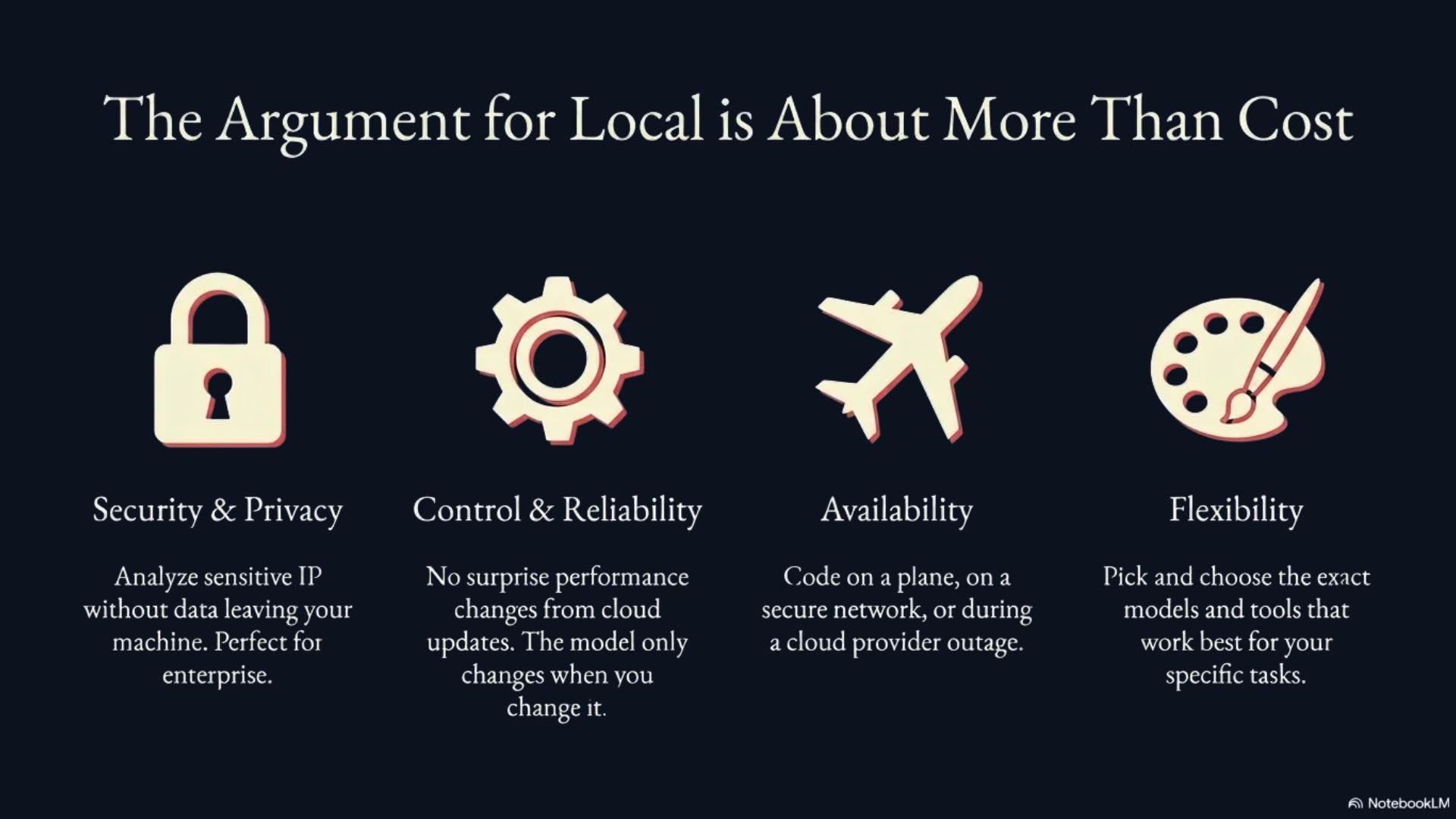
First: Reliability. Each week there seems to be complaints about performance regression within AI coding tools. Many speculate companies are pulling tricks to save resources that hurt model performance. With cloud providers, you’re at the mercy of the provider for when this happens. With local models, this only happens when you cause it to.
Second: Local models can apply to far more applications. Just the other day I was having a discussion with my dad about AI tooling he could use to streamline his work. His job requires studying a lot of data—a perfect application for an LLM-based tool—but his company blocks tools like Gemini and ChatGPT because a lot of this analysis is done on intellectual property. Unfortunately, he isn’t provided a suitable alternative to use.
With a local model, he wouldn’t have to worry about these IP issues. He could run his analyses without data ever leaving his machine. Of course, any tool calling would also need to ensure data never leaves the machine, but local models get around one of the largest hurdles for useful enterprise AI adoption. Running models on a local machine opens up an entire world of privacy- and security-centric AI applications that are expensive for cloud providers to provide.
Finally: Availability. Local models are available to you as long as your machine is. This means no worrying about your provider being down or rate limiting you due to high traffic. It also means using AI coding tools on planes or in other situations where internet access is locked down (think highly secure networks).
While local models do provide significant cost savings, the flexibility and reliability they provide can be even more valuable.
Understanding memory
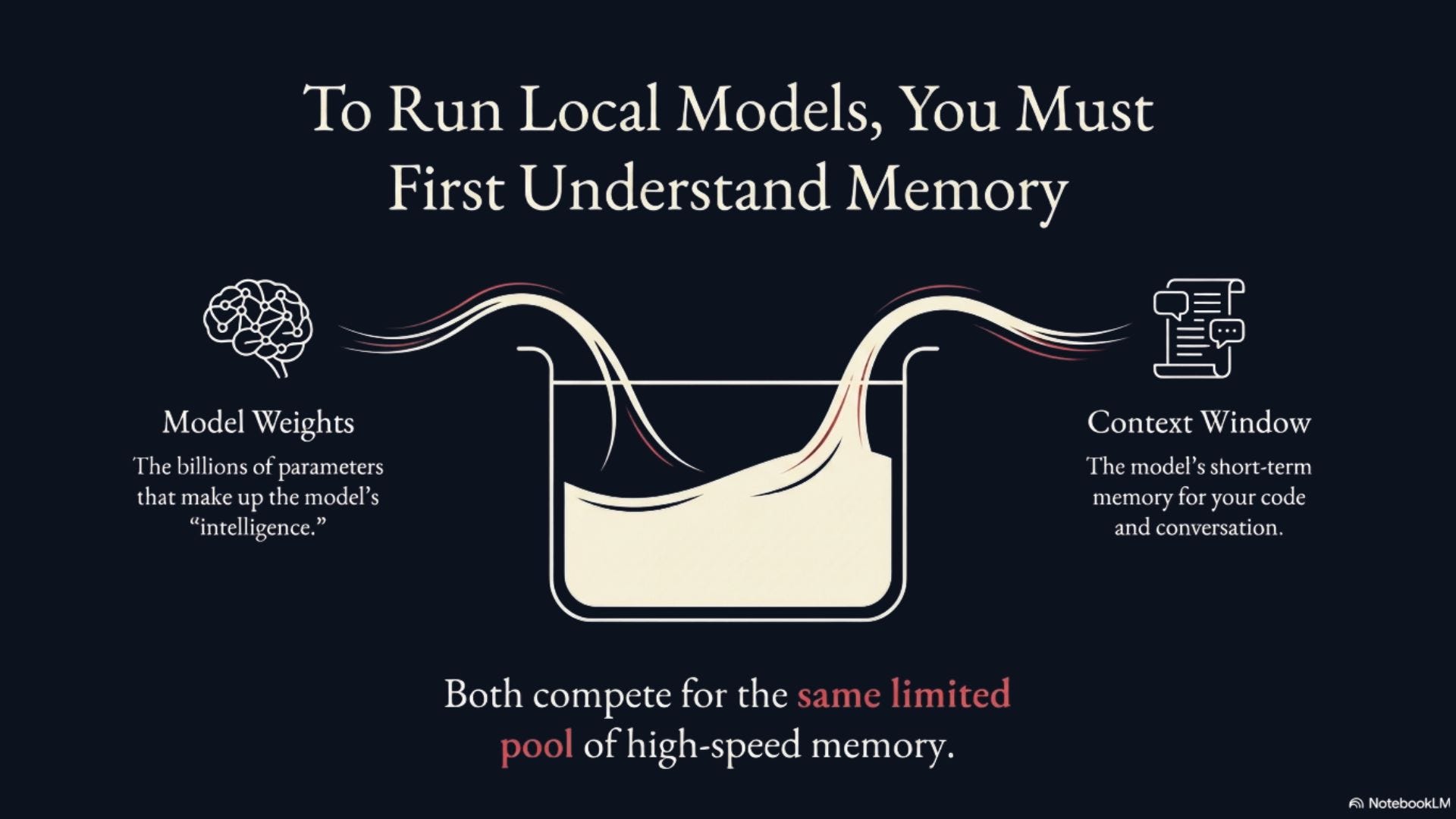
To get going with local models you must understand the memory needed to run them on your machine. Obviously, if you have more memory you’ll be able to run better models, but understanding the nuances of that memory management will help you pick out the right model for your use case.
Local AI has two parts that eat up your memory: The model itself and the model’s context window.
The actual model has billions of parameters and all those parameters need to fit into your memory at once. Excellent local coding models start at around 30 billion (30B, for short) parameters in size. By default, these models use 16 bits to represent parameters. At 16 bits with 30B parameters, a model will take 60 GB of space in RAM (16 bits = 2 bytes per parameter, 30 billion parameters = 60 billion bytes which equals about 60 GB).
The second (and potentially larger) memory consuming part of local AI is the model’s context window. This is the model inputs and outputs that are stored so the model can reference them in future requests. This gives the model memory.
When coding with AI, we prefer this window to be as large as it can because we need to fit our codebase (or pieces of it) within our context window. This means we target a context window of 64,000 tokens or larger. All of these tokens will also be stored in RAM.
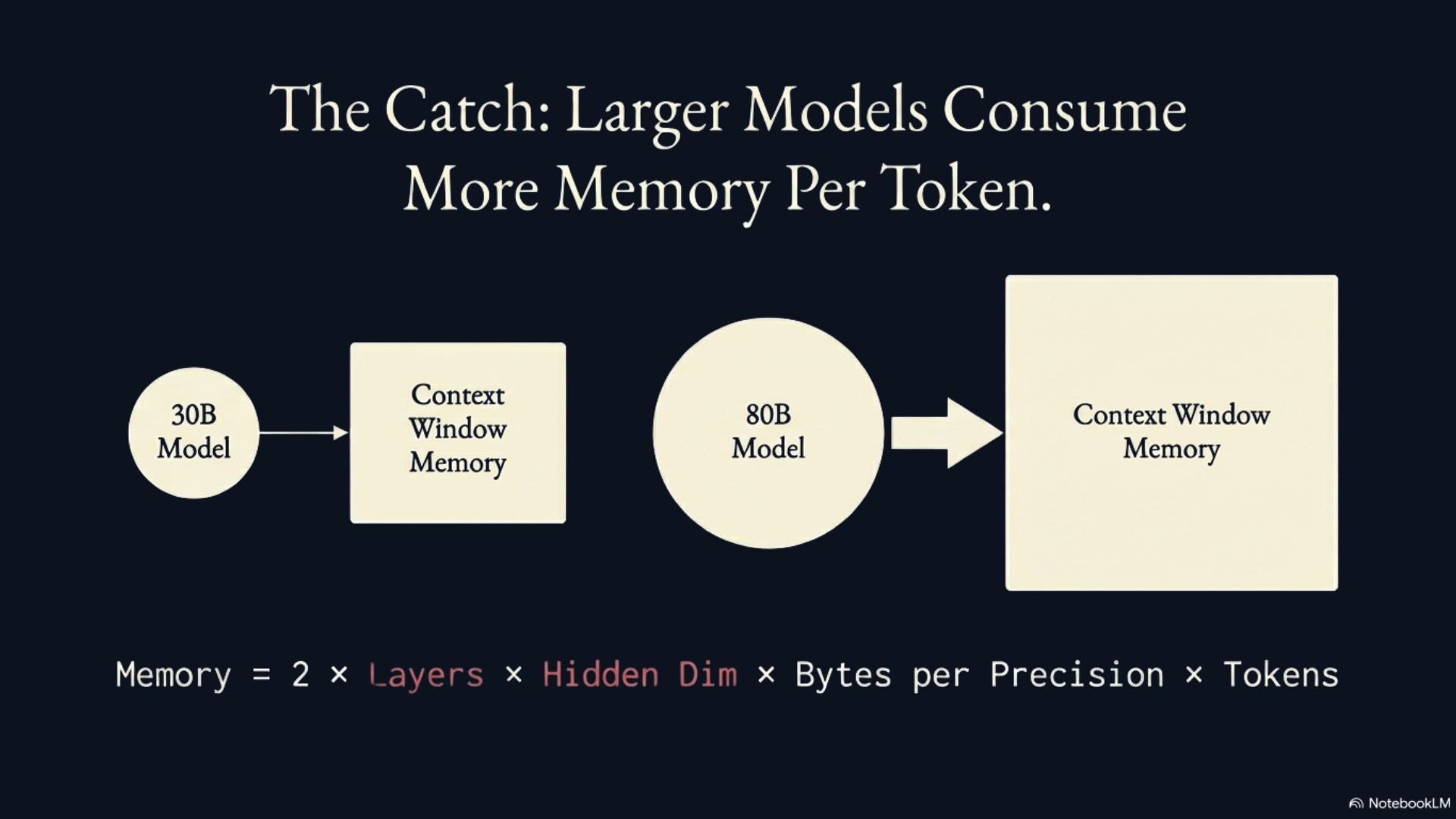
The important thing to understand about context windows is that the memory requirement per-token for a model depends on the size of that model. Models with more parameters tend to have large architectures (more hidden layers and larger dimensions to those layers). Larger architectures mean the model must store more information for each token within its key-value cache (context window) because it stores information for each token for each layer.
This means choosing an 80B parameter model over a 30B parameter model requires more memory for the model itself and also more memory for the same size context window. For example, a 30B parameter model might have a hidden dimension of 5120 with 64 layers while an 80B model has a hidden dimension of 8192 with 80 layers. Doing some back-of-the-napkin math shows us that the larger model requires approximately 2x more RAM to maintain the same context window as the 30B parameter model (see formula below).
Luckily, there are tricks to better manage memory. First, there are architectural changes that can be made to make model inference more efficient so it requires less memory. The model we set up at the end of this article uses Hybrid Attention which enables a much smaller KV cache enabling us to fit our model and context window in less memory. I won’t get into more detail in this article, but you can read more about that model and how it works here.
The second trick is quantizing the values you’re working with. Quantization means converting a continuous set of values into a smaller amount of distinct values. In our case, that means taking a set of numbers represented by a certain number of bits (16, for example) and reducing it to a set of numbers represented by fewer bits (8, for example). To put it simply, in our case we’re converting the numbers representing our model to a smaller bit representation to save memory while keeping the value representations within the model relatively equal.
You can quantize both your model weights and the values stored in your context window. When you quantize your model weights, you “remove intelligence” from the model because it’s less precise in its representation of innate information. I’ve also found the performance hit when going from 16 to 8 bits within the model to be much less than 8 to 4.
We can also quantize the values in our context window to reduce its memory requirement. This means we’re less precisely representing the model’s memory. Generally speaking, KV cache (context window) quantization is considered more destructive to model performance than weight quantization because it causes the model to forget details in long reasoning traces. Thus, you should test quantizing the KV cache to ensure it doesn’t degrade model performance for your specific task.
In reality, like the rest of machine learning, optimizing local model performance is an experimentation process and real-world machine learning requires understanding the practical limitations and capabilities of models when applied to specific applications.
Here are a few more factors to understand when setting up a local coding model on your hardware:
Instruct versus non-instruct
Instruct models are post-trained to be well-suited for chat-based interactions. They’re given chat pairings in their training to be optimized for excellent back-and-forth chat output. Non-instruct models are still trained LLMs, but focus on next-token prediction instead of chatting with a user. For our case, when using a chat-based coding tool (CLI or chat agent in your IDE) we need to use an instruct model. If you’re setting up an autocomplete model, you’ll want to find a model specifically post-trained for it (such as Qwen2.5-Coder-Base or DeepSeek-Coder-V2).
Serving tools
You need a tool to serve your local LLM for your coding tool to send it requests. On a MacBook, there are two primary options: MLX and Ollama.
Ollama is the industry standard and works on non-Mac hardware. It’s a great serving setup on top of llama.cpp that makes model serving almost plug-and-play. Users can download model weights from Ollama easily and can configure modelfiles with custom parameters for serving. Ollama can also serve a model once and make it available to multiple tools.
MLX is a Mac-specific framework for machine learning that is optimized specifically for Mac hardware. It also retrieves models for the user from a community collection. I’ve found Ollama to be very reliable in its model catalog, while MLX’s catalog is community sourced and can sometimes be missing specific models. Models are sourced from the community so a user can convert a model to MLX format themselves. MLX requires a bit more setup on the user’s end, but serves models faster because it doesn’t have a layer providing the niceties of Ollama on top of it.
Either of these is great, but I chose MLX to maximize what I can get with my RAM, but Ollama is probably the more beginner-friendly tool here.
Time-to-first-token and tokens per second
In real-world LLM applications it’s important that the model is able to serve its first token for a request in a reasonable amount of time and continue serving tokens at a speed that enables the user to use the model for its given purpose. If we have a high-performance model running locally, but it only serves a few tokens per second, it wouldn’t be useful for coding.
This is something taken for granted with cloud-hosted models that is a real consideration when working locally on constrained hardware. Another reason I chose MLX as my serving platform is because it served tokens up to 20% faster than Ollama. In reality, Ollama served tokens fast enough so I don’t think using MLX is necessary specifically for this reason for the models I tried.
Performance trade-offs
There are many ways to optimize local models and save RAM. It’s difficult to know which optimization method works best and the impact each has on a model especially when using them in tandem with other methods.
The right optimization method also depends on the application. In my experience, I find it best to prioritize larger models with more aggressive model quantization over smaller models with more precise model weights. Since our application is coding, I would also prioritize a less-quantized KV cache and using a smaller model to ensure reasoning works properly while not sacrificing the size of our context window.
Coding tools
There are many tools to code with local models and I suggest trying until you find one you like. Some top recommendations are OpenCode, Aider, Qwen Code, Roo Code, and Continue. Make sure to use a tool compatible with OpenAI’s API standard. While this should be most tools, this ensures a consistent model/tool connection. This makes it easier to switch between tools and models as needed.
Getting set up
I’ll spare you the trial and error I experienced getting this set up. The one thing I learned is that tooling matters a lot. Not all coding tools are created equal and not all of the models interact with tools equally. I experienced many times where tool calling or even running a tool at all was broken. I also had to tinker quite a bit with many of them to get them to work.
If you’re a PC enthusiast, an apt comparison to setting up local coding tools versus using the cloud offerings available is the difference between setting up a MacBook versus a Linux Laptop. With the Linux laptop, you might get well through the distro installation only to find that the drivers for your trackpad aren’t yet supported. Sometimes it felt like that with local models and hooking them to coding tools.
For my tool, I ended up going with Qwen Code. It was pretty plug-and-play as it’s a fork of Gemini CLI. It supports the OpenAI compatibility standard so I can easily sub in different models and affords me all of the niceties built into Gemini CLI that I’m familiar with using. I also know it’ll be supported because both the Qwen team and Google DeepMind are behind the tool. The tool is also open source so anyone can support it as needed.
For models, I focused on GPT-OSS and Qwen3 models since they were around the size I was looking for and had great reviews for coding. I ended up deciding to use Qwen3-Coder models because I found it performed best and because GPT-OSS frequently gave me “I cannot fulfill this request” responses when I asked it to build features.
I decided to serve my local models on MLX, but if you’re using a non-Mac device give Ollama a shot. A MacBook is an excellent machine for serving local models because of its unified memory architecture. This means the RAM can be allotted to the CPU or GPU as needed. MacBooks can also be configured with a ton of RAM. For serving local coding models, more is always better.
I’ve shared my modelfiles repo for you to reference and use as needed. I’ve got a script set up that automates much of the below process. Feel free to fork it and create your own modelfiles or star it to come back later.
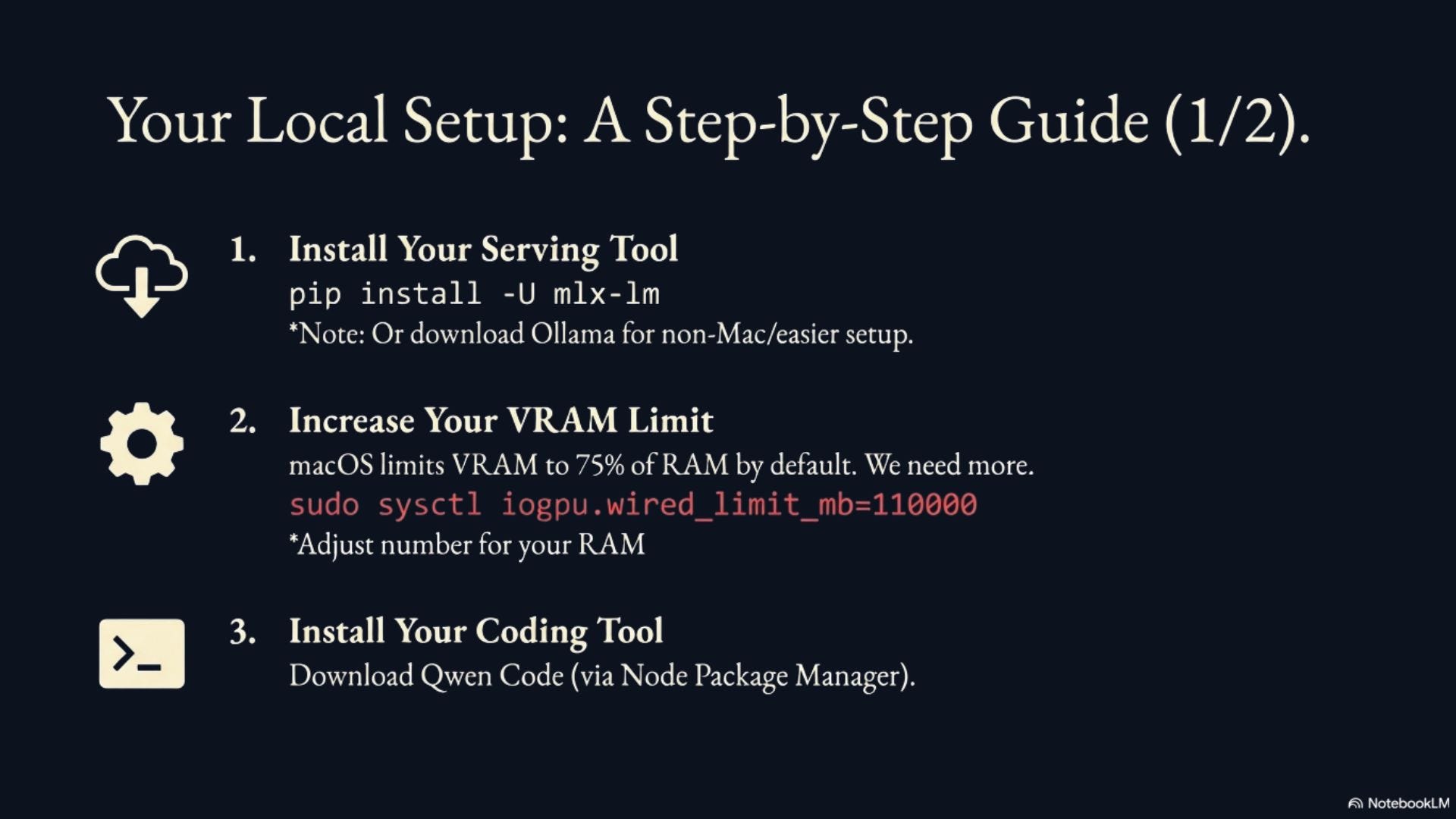
Install MLX or download Ollama (the rest of this guide will continue with MLX but details for serving on Ollama can be found here).
Increase the VRAM limitation on your MacBook. macOS will automatically limit VRAM to 75% of the total RAM. We want to use more than that. Run sudo sysctl iogpu.wired_limit_mb=110000 in your terminal to set this up (adjust the mb setting according to the RAM on your MacBook). This needs to be set each time you restart your MacBook.
Run pip install -U mlx-lm to install MLX for serving community models.
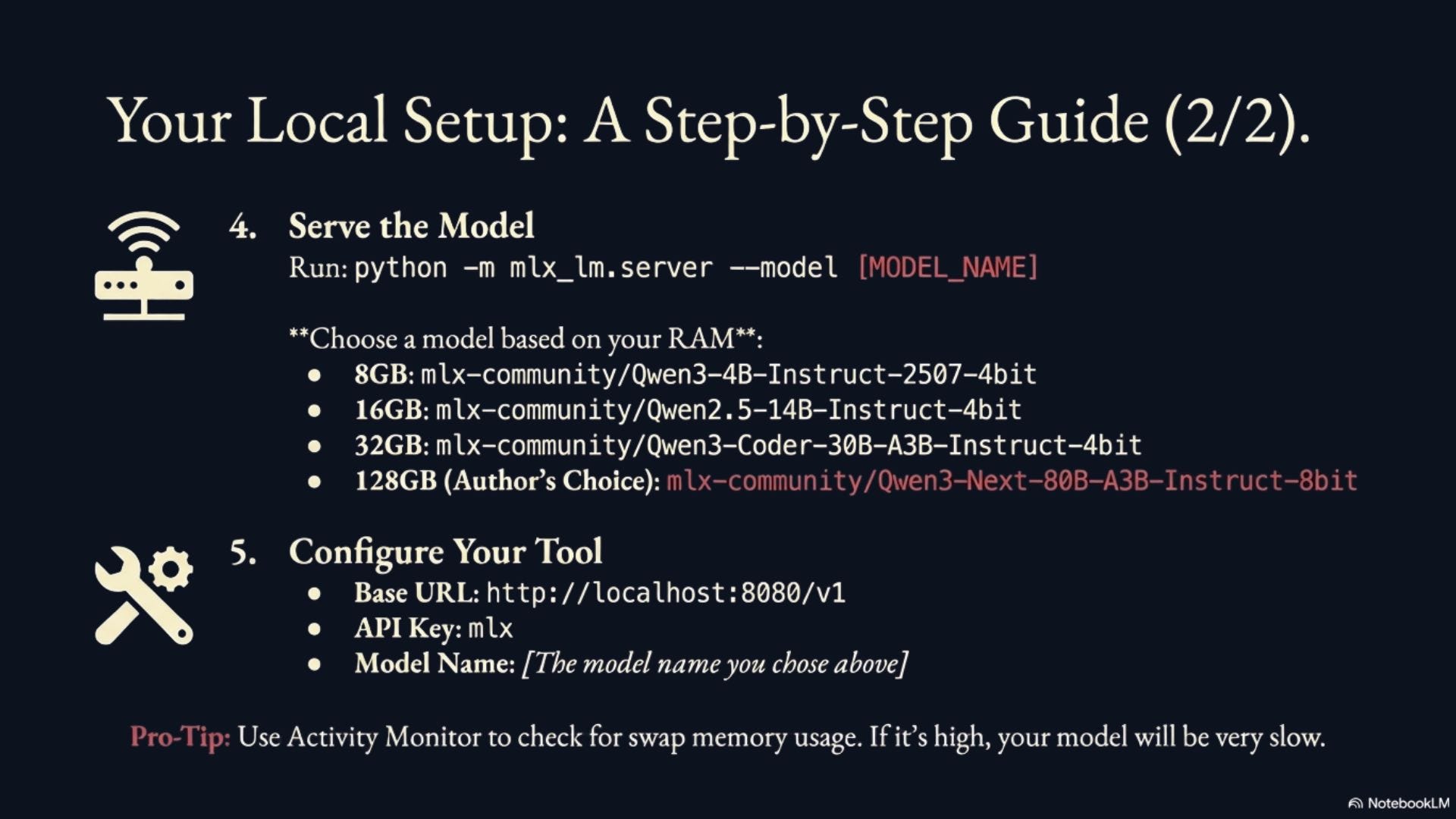
Serve the model as an OpenAI compatible API using python -m mlx_lm.server --model mlx-community/Qwen3-Next-80B-A3B-Instruct-8bit. This command both runs the server and downloads the model for you if you haven’t yet. This particular model is what I’m using with 128GB of RAM. If you have less RAM, check out smaller models such as mlx-community/Qwen3-4B-Instruct-2507-4bit (8 GB RAM), mlx-community/Qwen2.5-14B-Instruct-4bit (16 GB RAM), mlx-community/Qwen3-Coder-30B-A3B-Instruct-4bit (32 GB RAM), or mlx-community/Qwen3-Next-80B-A3B-Instruct-4bit (64-96 GB RAM).
Download Qwen Code. You might need to install Node Package Manager for this. I recommend using Node Version Manager (nvm) for managing your npm version.
Set up your tool to access an OpenAI compatible API by entering the following settings:
Base URL: http://localhost:8080/v1 (should be the default MLX serves your model at)
API Key: mlx
Model Name: mlx-community/Qwen3-Next-80B-A3B-Instruct-8bit (or whichever model you chose).
Voila! Your coding model tool should be working with your local coding model.
I recommend opening Activity Monitor on your Mac to monitor memory usage. I’ve had cases where I thought a model should fit within my memory allotment but it didn’t and I ended up using a lot of swap memory. When this happens your model will run very slowly.
One tip I have for using local coding models: Focus on managing your context. This is a great skill even with cloud-based models. People tend to YOLO their chats and fill their context window, but I’ve found greater performance by ensuring that just what my model needs is sitting in my context window. This is even more important with local models that may need an extra boost in performance and are limited in their context.
Was my hypothesis correct?
My original hypothesis was: Instead of paying $100/mo+ for an AI coding subscription, my money would be better spent upgrading my hardware so I can run local coding models at a fraction of the price.
I would argue that—yes!—no [see edit 2 above], it is correct. If we crunch the numbers, a MacBook with 128 GB is $4700 plus tax. If I spend $100/mo for 5 years, a coding subscription would cost $6000 in that same amount of time. Not only do I save money, but I also get a much more capable machine for anything else I want to do with it.
[This paragraph was added in after initial release of this article] It’s important to note that local models will not reach the peak performance of frontier models; however, they will likely be able to do most tasks just as well. The value of using a local model doesn’t come from raw performance, but from supplementing the cost of higher performance models. A local model could very well let you drop your subscription tier for a frontier coding tool or utilize a free tier as needed for better performance and run the rest of your tasks for free.
It’s also important to note that local models are only going to get better and smaller. This is the worst your local coding model will perform. I also wouldn’t be surprised if cloud-based AI coding tools get more expensive. If you figure you’re using greater than the $100/mo tier right now or that the $100/mo tier will cost $200/mo in the future, the purchase is a no-brainer. It’s just difficult to stomach the upfront cost.
From a performance standpoint, I would say the maximum model running on my 128 GB RAM MacBook right now feels about half a generation behind the frontier coding tools. That’s excellent, but something to keep in mind as that half a generation might matter to you.
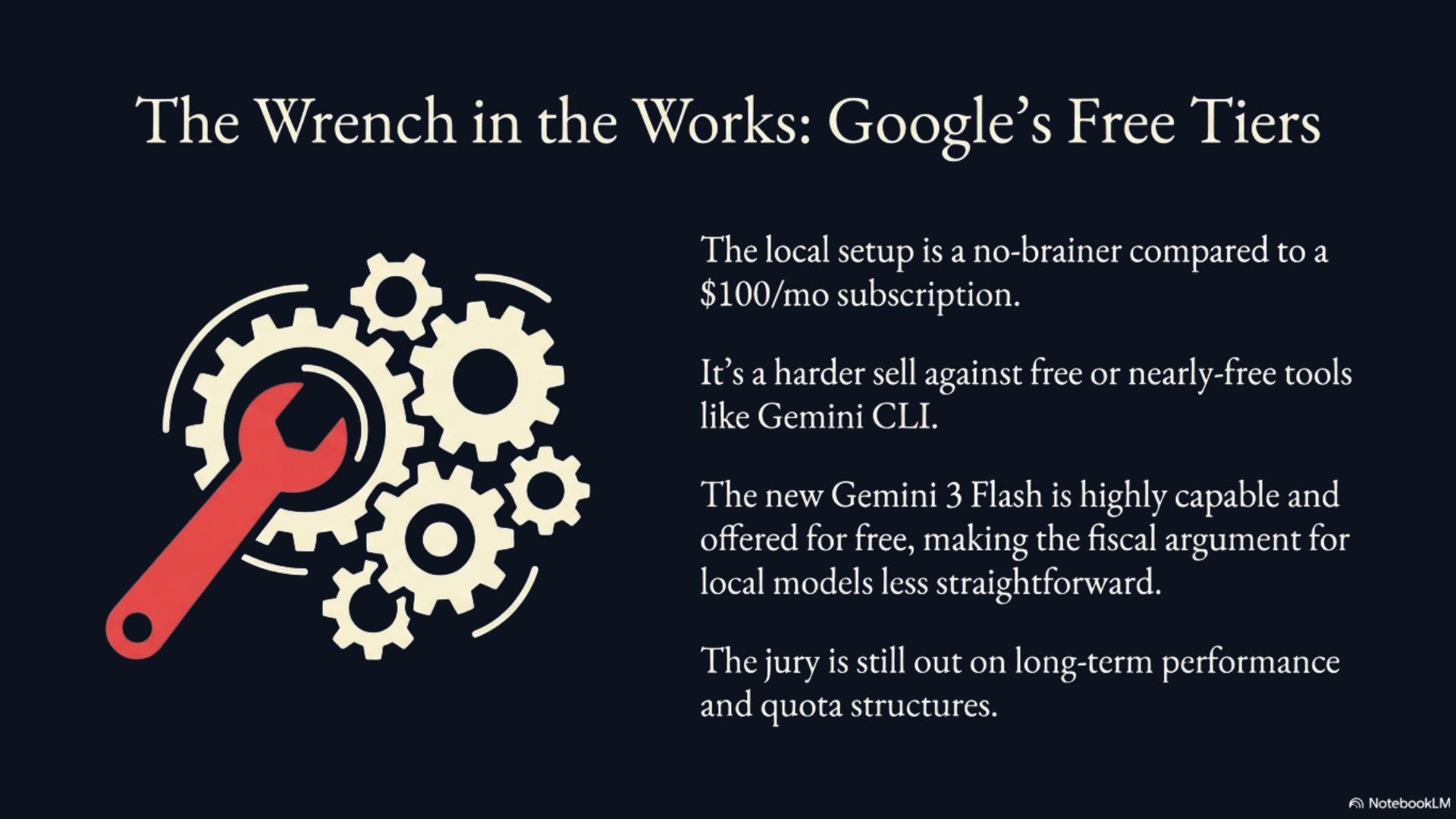
One wrench thrown into my experiment is how much free quota Google hands out with their different AI coding tools. It’s easy to purchase expensive hardware when it saves you money in the long run. It’s much more difficult when the alternative is free.
Initially, I considered my local coding setup to be a great pair to Google’s free tier. It definitely performs better than Gemini 2.5 Flash and makes a great companion to Gemini 3 Pro. Gemini 3 Pro can solve more complex tasks with the local model doing everything else. This not only saves quota on 3 Pro but also provides a very capable fallback for when quota is hit.
However, this is foiled a bit now that Gemini 3 Flash was just announced a few days ago. It shows benchmark numbers much more capable than Gemini 2.5 Flash (and even 2.5 Pro!) and I’ve been very impressed with its performance. If that’s the free tier Google offers, it makes local coding models less fiscally reasonable. The jury is still out on how well Gemini 3 Flash will perform and how quota will be structured, but we’ll have to see if local models can keep up.
I’m very curious to hear what you think! Tell me about your local coding setup or ask any questions below.
Thanks for reading!
Always be (machine) learning,
Logan
Thank you to all the comments here and on other platforms! I've added an edit to correct myself. I realized someone could make a financial decision based on this non-empirical conclusion and I don't want that happening.
Please see edit 2 at the top of the article for my corrections.
Isn't this missing the obvious comparison to running the *same* model you are able to run locally but through a cloud provider?
I'd be interested in seeing see both cost and performance comparisons to running your setup through e.g. OpenRouter instead.